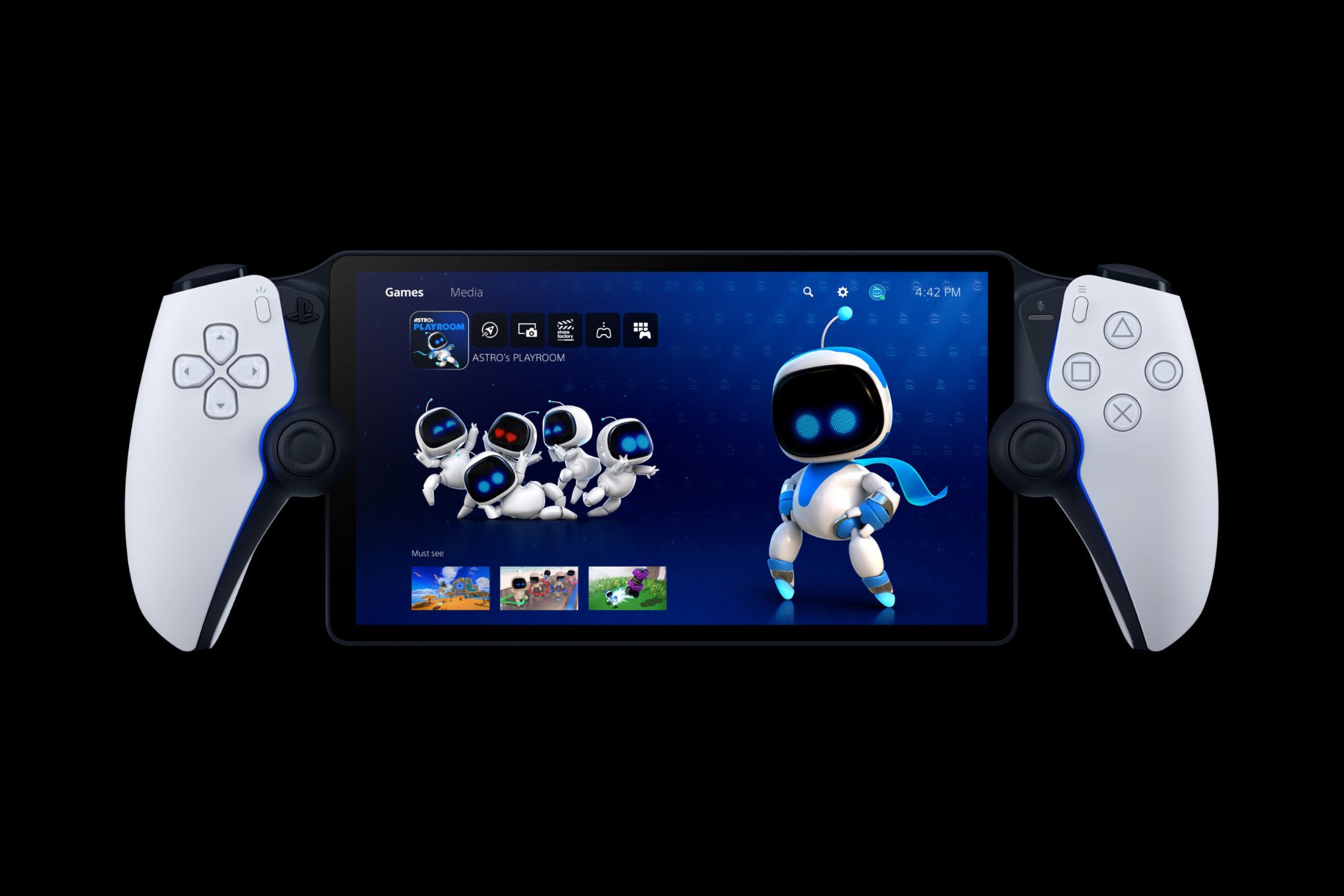
Sony’s PlayStation Portal Unleashes Cloud Streaming for PS5 Games: A New Era of Portable Play
The PlayStation Portal, formerly known as Project Q, has officially stepped into the future, transcending its initial Remote Play capabilities to embrace the power of cloud streaming for PlayStation 5 titles. This groundbreaking update transforms the device from a mere extension of your console into a standalone portable gaming powerhouse, granting access to a vast library of PS5 experiences without the need to be tethered to your home network. We delve into the specifics of this transformative upgrade, exploring the implications for gamers and the future of portable PlayStation gaming.
Unveiling the Cloud Streaming Revolution on PlayStation Portal
The integration of cloud streaming is not merely an incremental upgrade; it is a fundamental shift in the PlayStation Portal’s utility. Previously, the device relied solely on Remote Play, requiring a direct connection to your PS5 console. This limited its portability, as you were essentially confined to playing within the range of your home network. Now, with cloud streaming, the PlayStation Portal untethers itself from these limitations, enabling you to play a curated selection of PS5 games over a stable internet connection, regardless of your location.
This expanded functionality opens up a world of possibilities. Commuters can now dive into their favorite PS5 titles on their way to work. Travelers can maintain their gaming streak from hotel rooms across the globe. Even within your own home, the PlayStation Portal offers unparalleled flexibility, allowing you to enjoy AAA games in any room without monopolizing the television. The barriers to entry for portable PS5 gaming have been significantly lowered, making high-fidelity experiences more accessible than ever before.
Technical Specifications and Performance Expectations for Cloud Streaming
Understanding the technical nuances of cloud streaming on the PlayStation Portal is crucial for setting realistic performance expectations. The device itself boasts an 8-inch LCD screen with a resolution of 1920x1080, delivering crisp visuals and vibrant colors. It supports a refresh rate of 60Hz, ensuring smooth gameplay, provided the network connection is robust. However, the quality of the streaming experience is intrinsically linked to the speed and stability of your internet connection.
Sony recommends a minimum internet speed of 5Mbps for basic cloud streaming, but for optimal performance, a connection of 15Mbps or higher is highly recommended. Latency is another critical factor. Even with a high-speed connection, high latency can introduce noticeable lag, impacting responsiveness and overall enjoyment. The PlayStation Portal utilizes Wi-Fi 5 connectivity, which offers decent bandwidth and range, but the presence of other devices on the same network can still introduce interference.
It’s important to remember that cloud streaming is not a perfect substitute for playing games directly on your PS5. You may notice slight graphical differences, particularly in fast-paced action sequences or games with intricate visual effects. Input lag, while minimized, is an inherent characteristic of cloud streaming technology. Gamers accustomed to the instantaneous response of playing directly on their console may require some adjustment. Despite these minor caveats, the convenience and portability afforded by cloud streaming far outweigh the drawbacks for many players.
The PS5 Games Library Available for Cloud Streaming on the Portal
While the PlayStation Portal now supports cloud streaming, it’s crucial to understand that not every PS5 game is available through this feature. Sony has curated a specific library of titles optimized for cloud streaming, focusing on games that translate well to a handheld format and offer a compelling portable experience. The exact composition of this library is subject to change, with new titles being added periodically.
The current selection includes a mix of first-party exclusives and popular third-party titles, spanning various genres. Action-adventure games like Marvel’s Spider-Man: Miles Morales and Horizon Forbidden West shine on the PlayStation Portal’s screen, offering stunning visuals and engaging gameplay. Racing games such as Gran Turismo 7 provide thrilling, high-speed action, while RPGs like Final Fantasy VII Remake offer expansive worlds to explore on the go.
Sony is expected to continually expand the cloud streaming library, adding new titles based on player demand and technical feasibility. The company is also exploring the possibility of offering cloud streaming access to select PS4 games, further enriching the portable gaming experience. It’s advisable to check the official PlayStation website or the PlayStation Store app for the latest information on the availability of specific games for cloud streaming on the PlayStation Portal.
Setting Up and Configuring Cloud Streaming on Your PlayStation Portal
Getting started with cloud streaming on your PlayStation Portal is a straightforward process. First, ensure that your device is running the latest firmware version. This can be done through the system settings menu. Next, you’ll need to link your PlayStation Network account to the PlayStation Portal. This is the same account you use to access online services on your PS5.
Once your account is linked, navigate to the “Game Library” section on the PlayStation Portal. Here, you’ll see a list of games available for cloud streaming. Select the game you want to play and tap the “Play” button. The PlayStation Portal will then connect to Sony’s cloud servers and begin streaming the game.
Optimizing Your Cloud Streaming Experience:
- Ensure a Strong Wi-Fi Connection: A stable and fast Wi-Fi connection is paramount for a smooth cloud streaming experience. Try to position yourself closer to your router or use a Wi-Fi extender to improve signal strength.
- Close Unnecessary Applications: Close any unnecessary applications or programs running on your PlayStation Portal or other devices on your network to free up bandwidth.
- Adjust Streaming Quality: In the system settings, you can adjust the streaming quality to prioritize either visual fidelity or performance. If you’re experiencing lag or stuttering, try lowering the streaming quality.
- Use Headphones: Headphones can help to minimize distractions and improve the audio experience, especially in noisy environments.
The PlayStation Portal vs. Remote Play: A Comparative Analysis
While the PlayStation Portal initially launched with Remote Play as its primary function, the addition of cloud streaming significantly alters the landscape, creating a clear distinction between the two modes of play.
Remote Play: This mode requires a direct connection to your PS5 console, allowing you to stream games that are installed on your system. The PlayStation Portal acts as a remote display and controller, mirroring the gameplay experience on your TV. Remote Play is ideal for playing games that are not available for cloud streaming or when you want to take advantage of the superior performance of playing directly on your console. However, it limits your portability, as you must be within range of your home network.
Cloud Streaming: This mode allows you to stream a curated selection of PS5 games directly from Sony’s servers, without the need for a local PS5 console. This unlocks true portability, enabling you to play games anywhere with a stable internet connection. Cloud streaming is perfect for playing games on the go or when you don’t have access to your PS5. However, it relies on the quality of your internet connection and may not offer the same level of graphical fidelity or responsiveness as Remote Play.
The choice between Remote Play and cloud streaming ultimately depends on your individual needs and preferences. If you prioritize performance and have access to a strong home network, Remote Play is the better option. If you value portability and have a reliable internet connection, cloud streaming offers unparalleled convenience. In many cases, the two modes can complement each other, providing a versatile gaming experience.
Future Prospects and Potential Enhancements for the PlayStation Portal
The addition of cloud streaming to the PlayStation Portal marks a significant milestone in the evolution of portable PlayStation gaming, but it is only the beginning. Several potential enhancements and future developments could further elevate the device’s appeal and solidify its position as a leading contender in the handheld gaming market.
Potential Enhancements:
- Expanded Game Library: The most immediate improvement would be to expand the library of games available for cloud streaming. Adding more first-party exclusives, popular third-party titles, and even select PS4 games would significantly enhance the value proposition of the PlayStation Portal.
- Improved Streaming Technology: Sony could invest in further optimizing its cloud streaming technology to reduce latency, improve graphical fidelity, and enhance overall stability.
- Wi-Fi 6 Support: Upgrading the PlayStation Portal to support Wi-Fi 6 would provide faster and more reliable wireless connectivity, resulting in a smoother cloud streaming experience.
- Battery Life Optimization: Improving the battery life of the PlayStation Portal would be a welcome enhancement, allowing for longer gaming sessions on the go.
- Integration with PlayStation Plus Premium: Bundling the PlayStation Portal with a subscription to PlayStation Plus Premium would provide access to a vast library of games, making it an even more compelling offering.
The PlayStation Portal has the potential to become a truly transformative device, blurring the lines between console and portable gaming. By continuously innovating and addressing the needs of gamers, Sony can solidify its position as a leader in the portable gaming space.
Conclusion: The PlayStation Portal Redefines Portable Gaming
The PlayStation Portal’s transformation, embracing PS5 game cloud streaming alongside Remote Play, marks a pivotal moment for handheld gaming. We’ve explored the transformative impact of this upgrade, detailing its technical aspects, available game library, setup process, and comparative advantages over Remote Play. This detailed analysis showcases the PlayStation Portal’s potential, solidifying our commitment to keeping our readers informed on the cutting edge of gaming technology. The device’s portability, combined with access to a growing library of PS5 titles, redefines what’s possible in the world of on-the-go gaming, making high-fidelity experiences more accessible and flexible than ever before. As Sony continues to refine its cloud streaming technology and expand the available game library, the PlayStation Portal is poised to become an indispensable tool for PlayStation enthusiasts, offering a seamless and immersive gaming experience wherever they may be. We are excited to see what the future holds for the PlayStation Portal and its contribution to the evolution of portable gaming. This is not just a handheld device; it’s a portal to a new era of gaming freedom.